The pockets were already there. The change I wanted was at the front.
That is a useful test for AI CAD: can it keep the useful parts of an existing design and revise the part that needs attention?
In this Nora3D example, Codex adds editable cuts to a bathroom organizer template, then enlarges them in the same CAD document. The front opening changes from 16 × 10 mm to 40 × 30 mm—width by depth below the rim—and the floor slot grows from 10 × 4 mm to 22 × 10 mm. The surrounding storage compartments remain. Saving and reopening preserves the final features and dimensions.
Keep the organizer you already want
The starting point is Toilet Open-Front Organizer in Nora3D's template library. Its stepped arrangement of tall and short compartments provides the overall shape. The design task is local: open up the front compartment while keeping that arrangement.
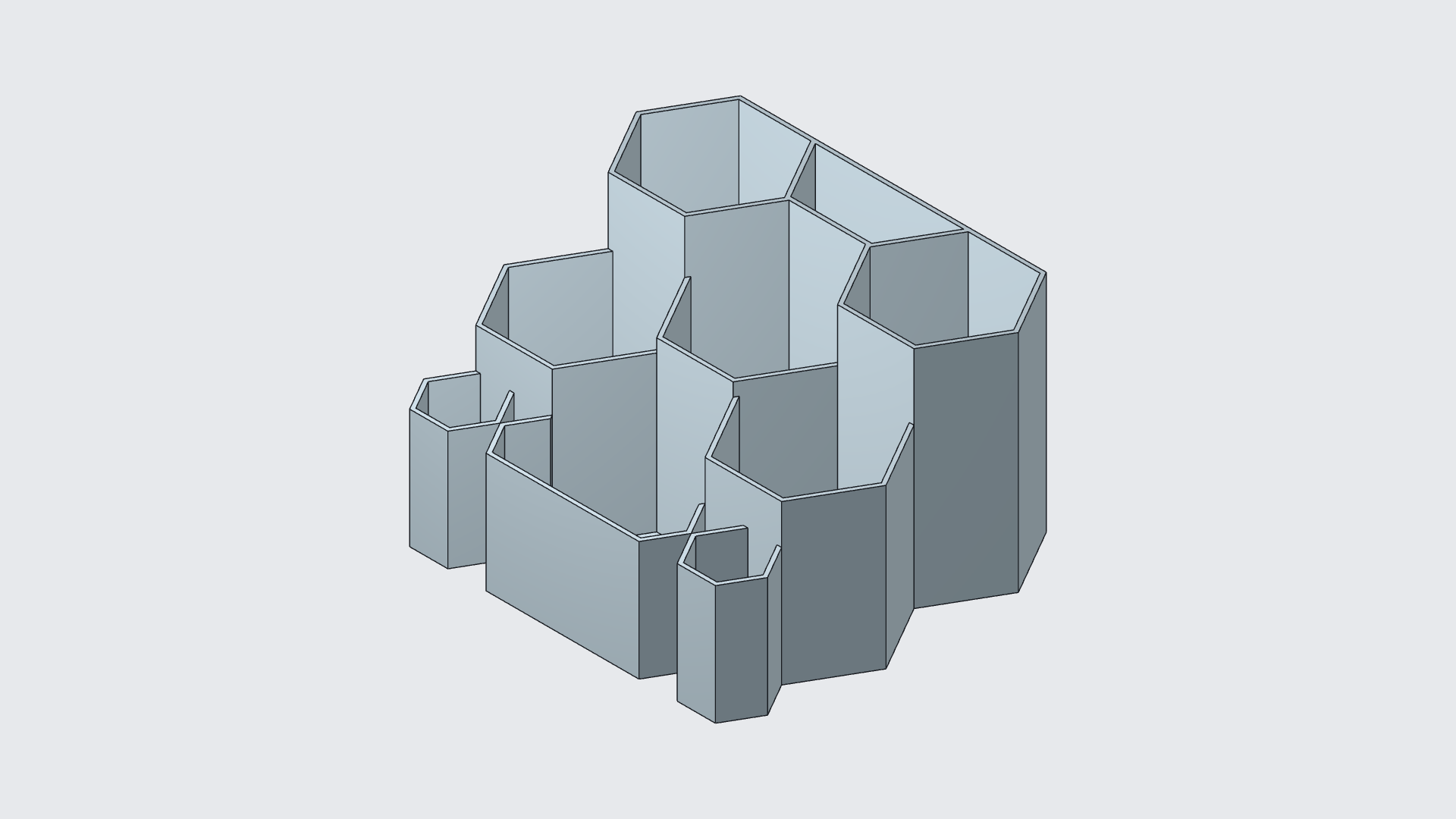
The inserted template is one solid. Codex operates Nora3D through its modeling tools to add two cutting bodies and subtract them from that solid: one makes a notch in the front wall, and the other makes a slot through the front compartment's floor.
These new cutting features provide the editable dimensions used below. They give this particular modification controls that can be revisited; the imported template itself supplies the existing shape.
The first saved edit has a 16 mm-wide opening extending 10 mm below the rim, plus a 10 × 4 mm floor slot. This establishes a baseline before the next change.
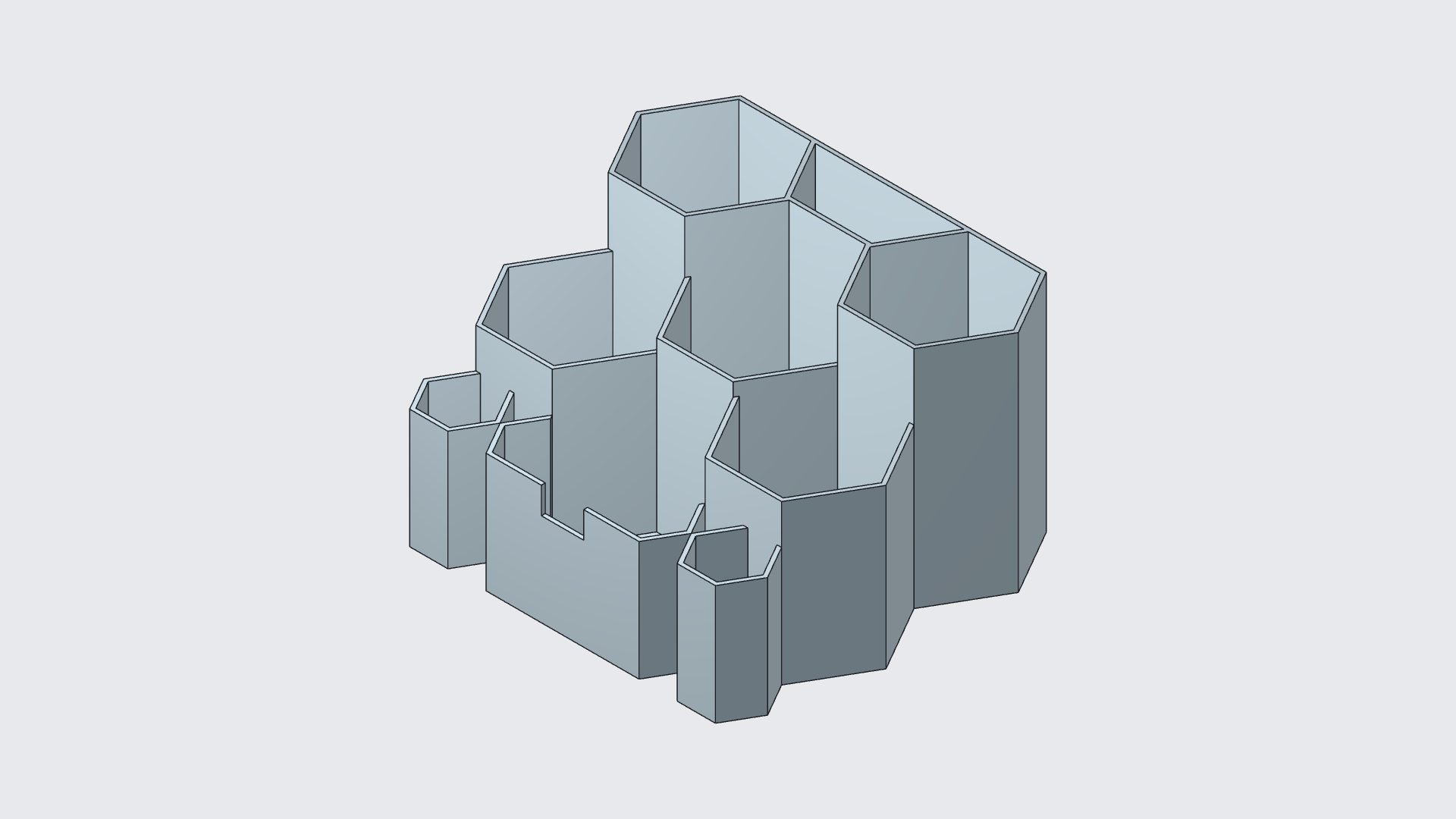
Widen the front opening and lower its edge
The next request is about reach: make the front more open, with less wall between a hand and the contents.
The access cutter's width changes from 16 to 40 mm. Its height changes from 20 to 60 mm, with its center held at the same height. Because the cutter extends above the wall, only part of its height intersects the organizer.
The visible opening therefore changes from 10 to 30 mm deep below the rim. Its lower edge moves from 35 to 15 mm above the base. The organizer keeps its overall height and surrounding compartments.
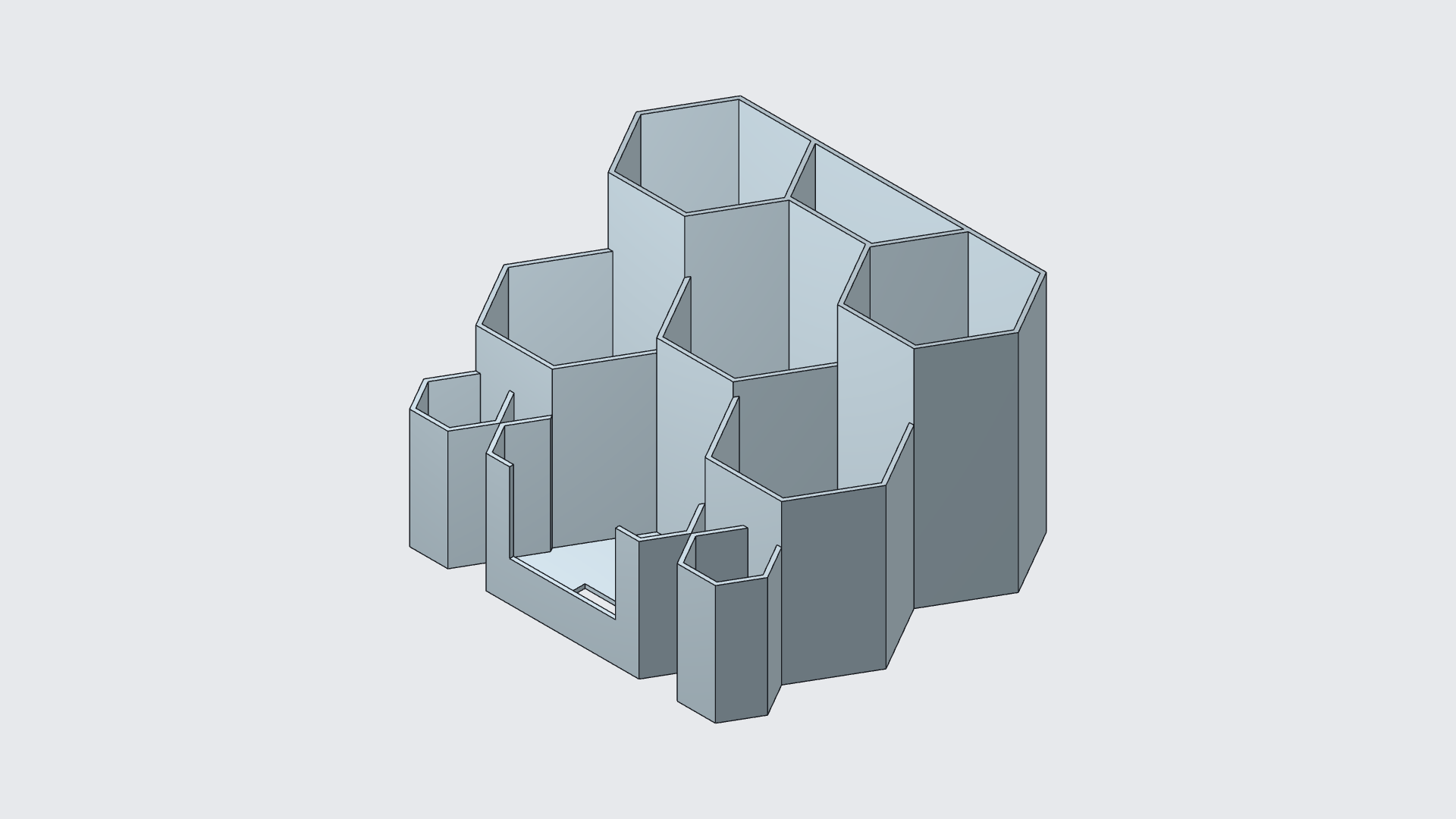
This is a useful distinction when editing with a cutting body: the tool's dimensions and the finished opening's dimensions are not always the same. Here, 60 mm describes the cutter height. It is not the opening height.
Enlarge the slot in the front compartment's floor
The second change is below the opening. The rectangular floor slot grows from 10 × 4 mm to 22 × 10 mm, passing through the front compartment's 1.5 mm floor.
The top view makes the location clear. The edit belongs to the front compartment; the other storage pockets remain around it.
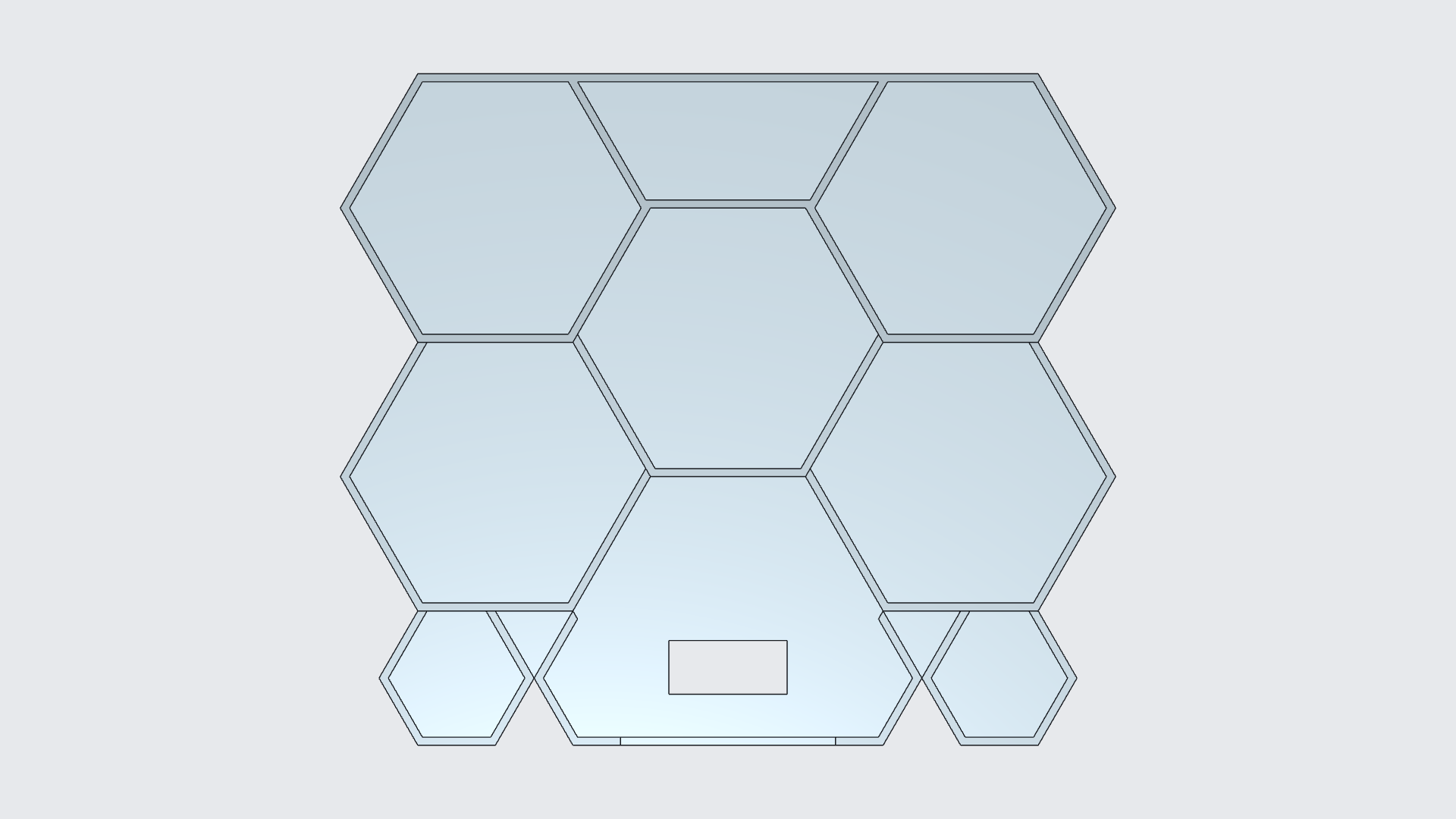
Compare the dimensions in the same model
| Dimension | First saved edit | Refined edit |
|---|---|---|
| Front opening width | 16 mm | 40 mm |
| Opening depth below rim | 10 mm | 30 mm |
| Lower edge above base | 35 mm | 15 mm |
| Front floor slot | 10 × 4 mm | 22 × 10 mm |
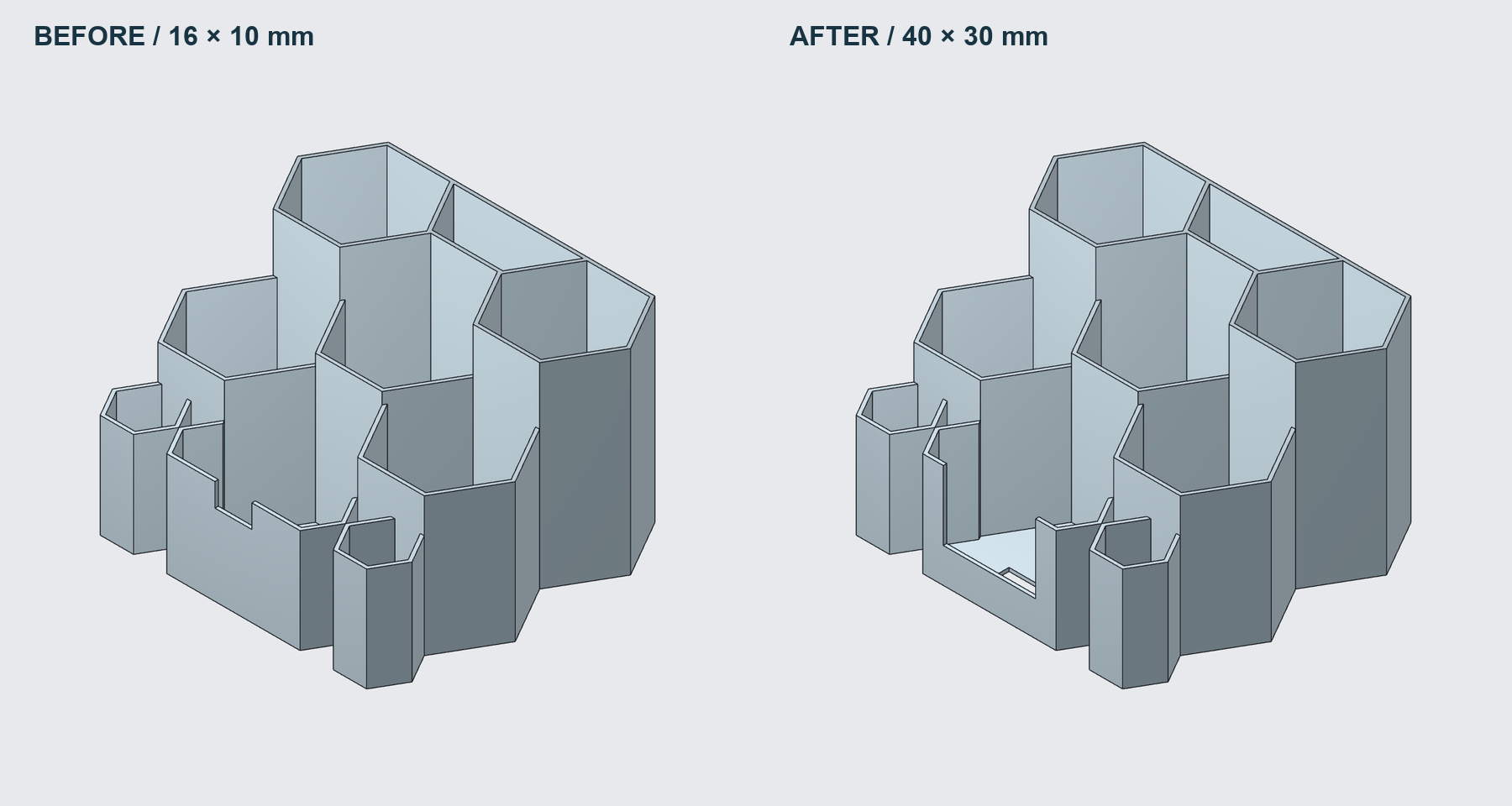
After saving and reopening, the document retained five features and one solid, with the final parameter values still present and no pending saves. Those five features are the inserted template, two cutting bodies and two Boolean subtraction features.
For an iterative workflow, that saved state matters. The next change starts from the refined document and its existing controls.
What makes this an editable AI CAD workflow?
Can an existing template be modified without rebuilding the whole organizer? In this example, yes. New cutting features change the front wall and floor while retaining the surrounding solid geometry.
What remains editable? The added cutting features carry the dimensions used for these revisions. Changing their parameters updates the cuts in the same model; this workflow does not recover the template's original feature history.
The broader idea is simple: start with a useful shape, identify what should stay, and give the next change a clear target. Read more about continuing work on the same CAD model, or see how the same approach works when refining a charging stand's added phone cradle.
Have a template that is almost right? Open Nora3D and describe the part you want to change.