I’m trying to open up CAD to everyone.
Starting with this box.
Today, Nora3D figured out a hinge design for a storage tray on my tablet. I asked for a lid that could open and close. Nora added a lid and a pin hinge. Then I typed two words: “Open it.”
The lid opened in the model.
For a founder, this counts as an event. For everyone else, it is a box doing what a box should do. I think that is a good direction for CAD.
From a storage tray to a hinged box
The demonstration starts with an existing four-compartment tray. My request is straightforward:
Add a lid to turn it into a box. The lid should be able to open and close.
I describe the behavior I want, rather than specifying a sequence of modeling operations or a particular hinge construction.
Nora proposes a lid with a pin hinge along the rear long edge, designed for a 90-degree opening. The recording shows the cover taking shape, followed by the hinge structure along the back of the box. I can turn the view around and inspect how the two parts meet.
That choice is the interesting part for me. The request was not simply “put a rectangle on top.” The lid needs a way to stay connected while opening. In this example, Nora turns that requirement into a concrete hinge design.
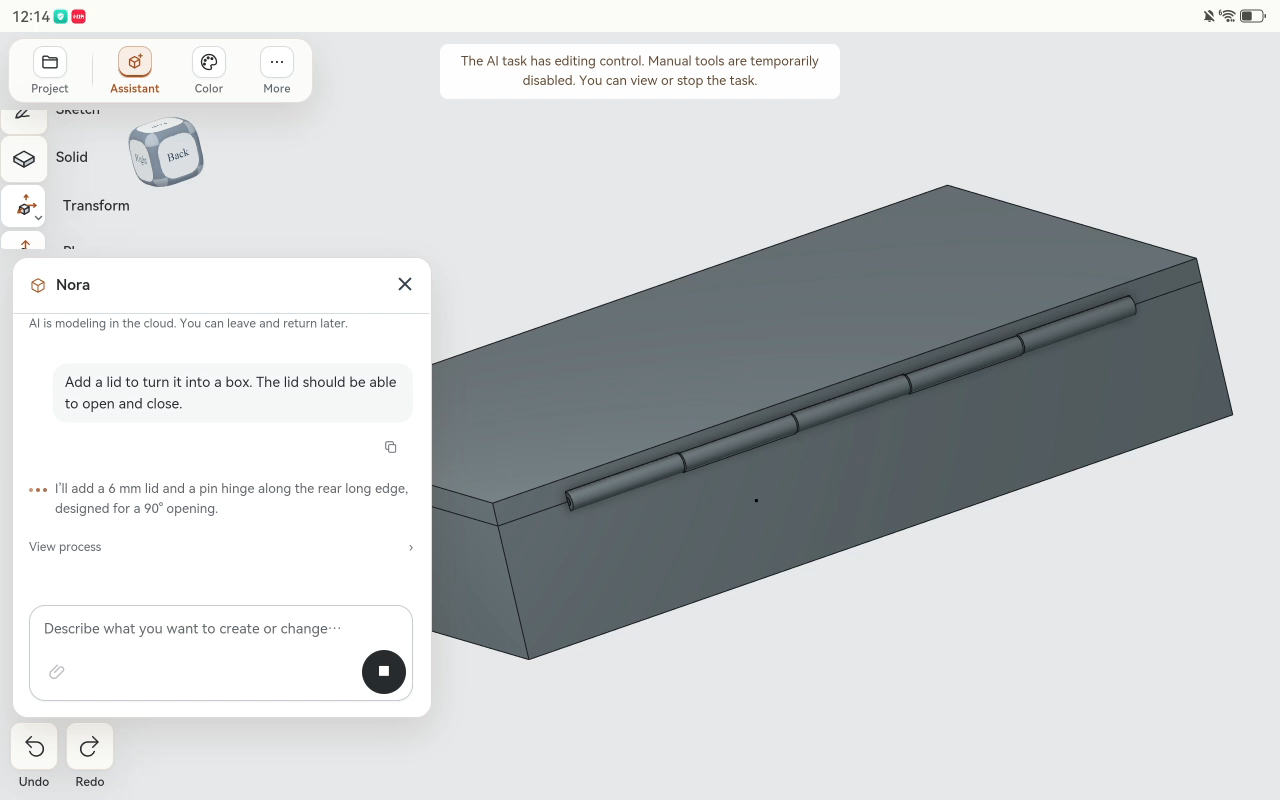
Two words to open the lid
Once the closed box is modeled, I send the follow-up:
Open it.
Nora rotates the lid around its hinge axis, and the model changes to an open position. The four storage compartments are visible again, with the lid standing upright at the back.
I do not have to start over with a new description of the box. The follow-up refers to the object we have just been working on. That continuity is what I want from an AI CAD assistant: the first result should lead naturally to the next change.
In the previous tray editing demonstration, the next step was adding a divider and changing its dimensions. Here, it is adding a lid, creating its connection to the tray, and changing its position.
The conversation stays about the object.
A modeled hinge is a starting point for engineering
The result is a pin-hinge design, with a separate lid and tray. Nora’s completion message specifies a separate pin and retainer for assembly. This is not a claim of an all-in-one, print-in-place hinge.
After opening the lid, Nora reports hinge alignment and no interference in the open position. The full motion path and strength remain unverified. Before making a physical version, the design still needs checks for fit, clearance, material, and movement through the intended range.
For me, that distinction is useful. AI can help get a mechanism into the CAD model without turning a screen demonstration into a promise about a finished physical product.
Less command planning on a tablet
The entire recording takes place in Nora3D’s tablet interface. I describe what I want, inspect the geometry, and ask for the next change without switching to a desktop.
What matters is not that the software has found somewhere to fit another tool button. It is that I can begin with an everyday requirement: this tray needs a lid, and that lid needs to open.
There is still geometry to construct and a design to review. I want Nora to take on more of the construction work so that the person using it can spend more attention on the object they actually need.
The video is an edited demonstration, not a timing benchmark. Its point is the progression from an existing tray to a hinged box that can be shown open in the model.
Opening up CAD one box at a time
I am not celebrating a lid because lids are new. I am celebrating a shorter route from describing a useful change to seeing it in a CAD model.
That is the kind of progress I want to keep shipping: small enough to demonstrate clearly, useful enough to build on.
Today, Nora figured out a hinge for this box.
Opening up CAD to everyone is still the bigger job. At least the box is cooperating.
Try Nora3D · See hand drawing and direct modeling on a phone