You want the slider to enter from the end of the carriage. Its narrow stem clears the opening, yet the wider head catches underneath. A T-slot needs clearance at both widths. In this example, a 9.6 mm stem clears a 10 mm opening, but the 18.4 mm head overlaps the walls of the original 18 mm lower channel.
The useful change is in the lower channel. Keep the opening around the stem at 10 mm and adjust the space around the head.
Look at the whole profile
This independent geometry study uses a carriage reconstructed in FreeCAD from a local design definition. The teal body has four counterbored holes and flanges. The orange shape is a dimensional reference for the slider: a narrow stem above a wider head.
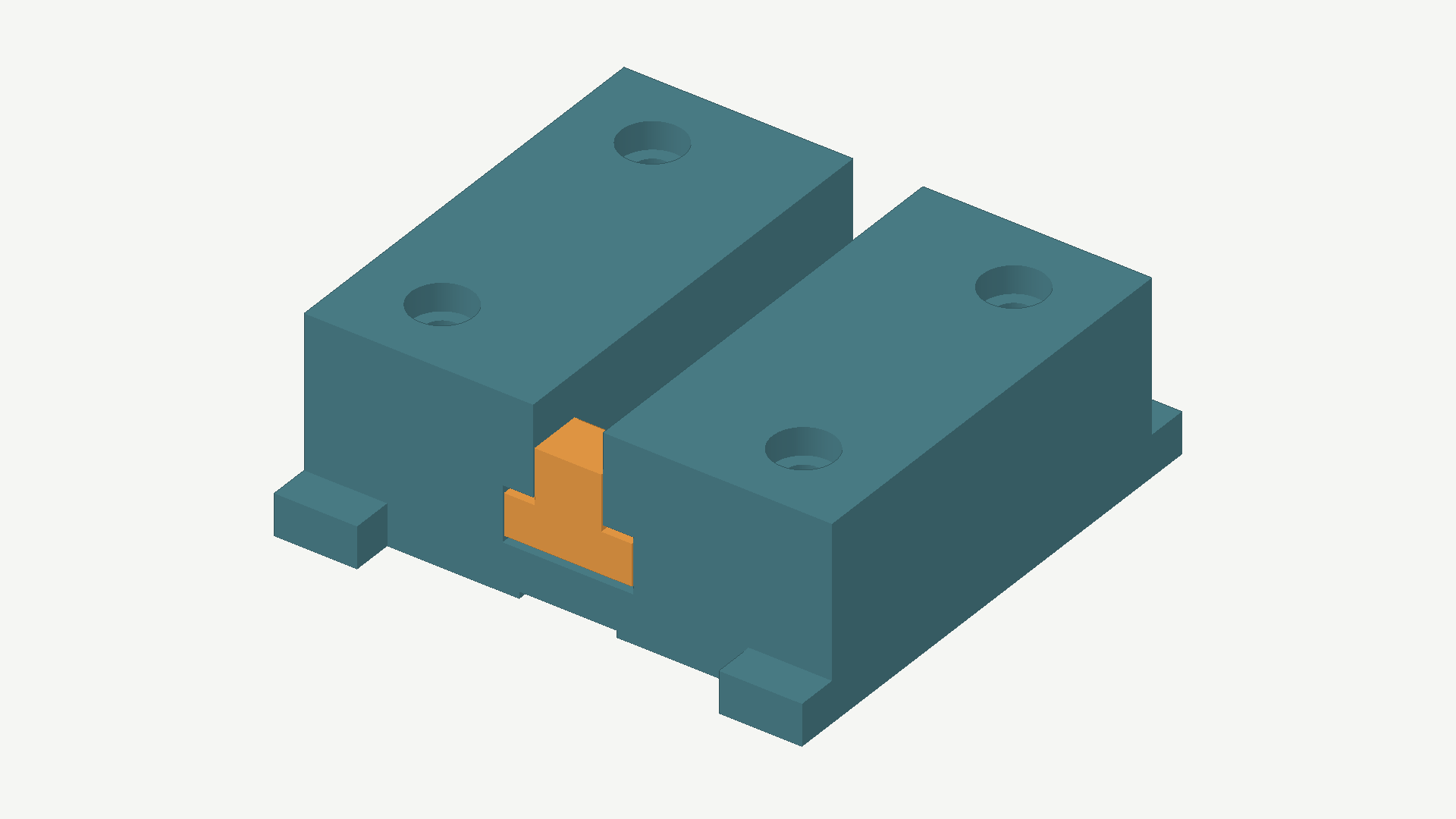
The stem and head must clear their respective passages at the same time. Checking only the top opening misses the shoulders underneath. An end view makes that relationship easier to see.
Find the shoulder that catches
With the reference centered, the 18.4 mm head extends 9.2 mm to either side of the centerline. The original lower channel extends only 9 mm. That leaves 0.2 mm of geometric overlap on each side.
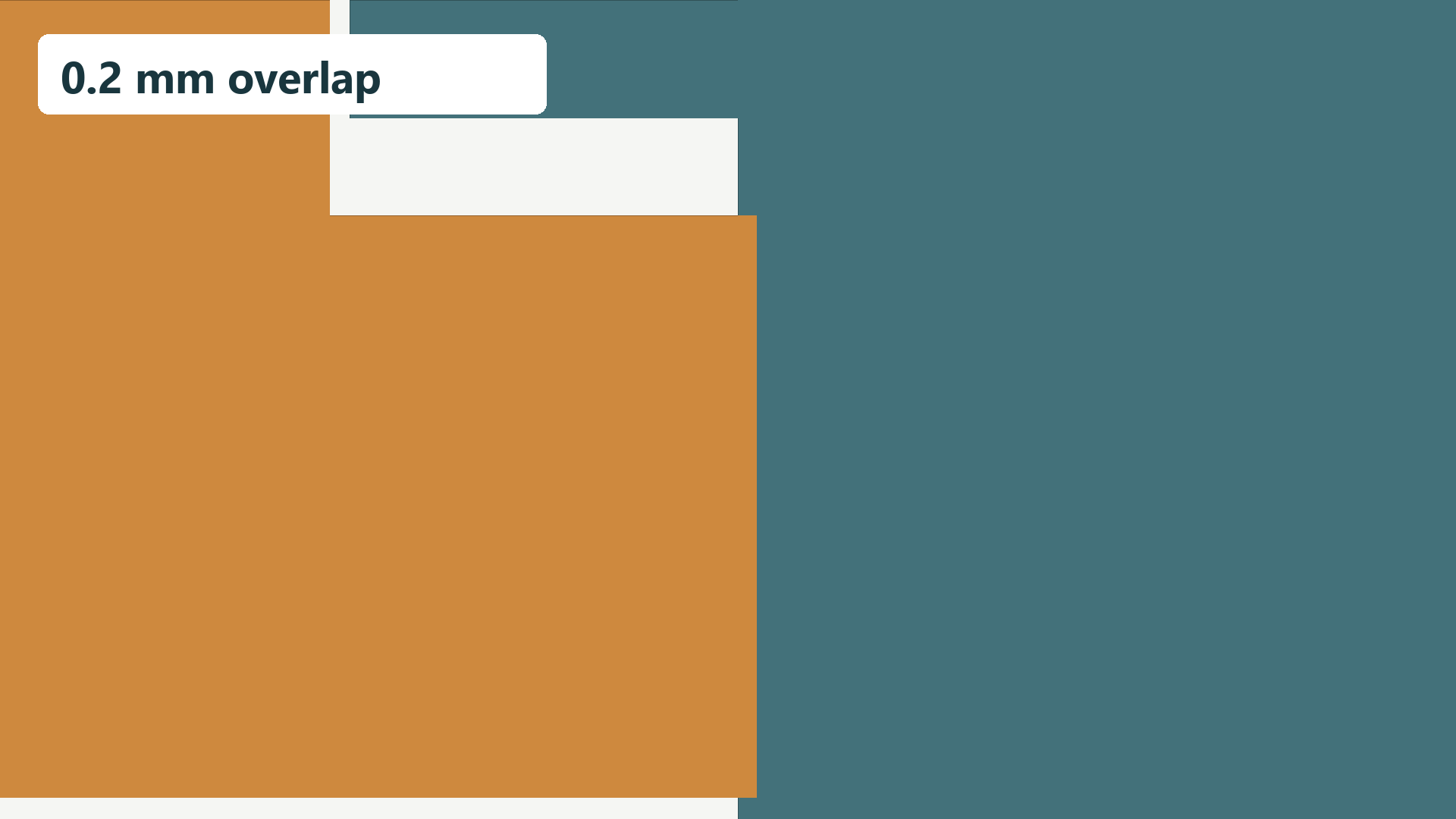
Widening the 10 mm top opening would not remove this overlap. The head needs room at the lower level. That is the feature to revise.
Give clearance a number
The first revision widens the same lower-channel cutting feature to 19.2 mm. Against the 18.4 mm reference head, the total width difference is 0.8 mm: 0.4 mm on each side when centered.
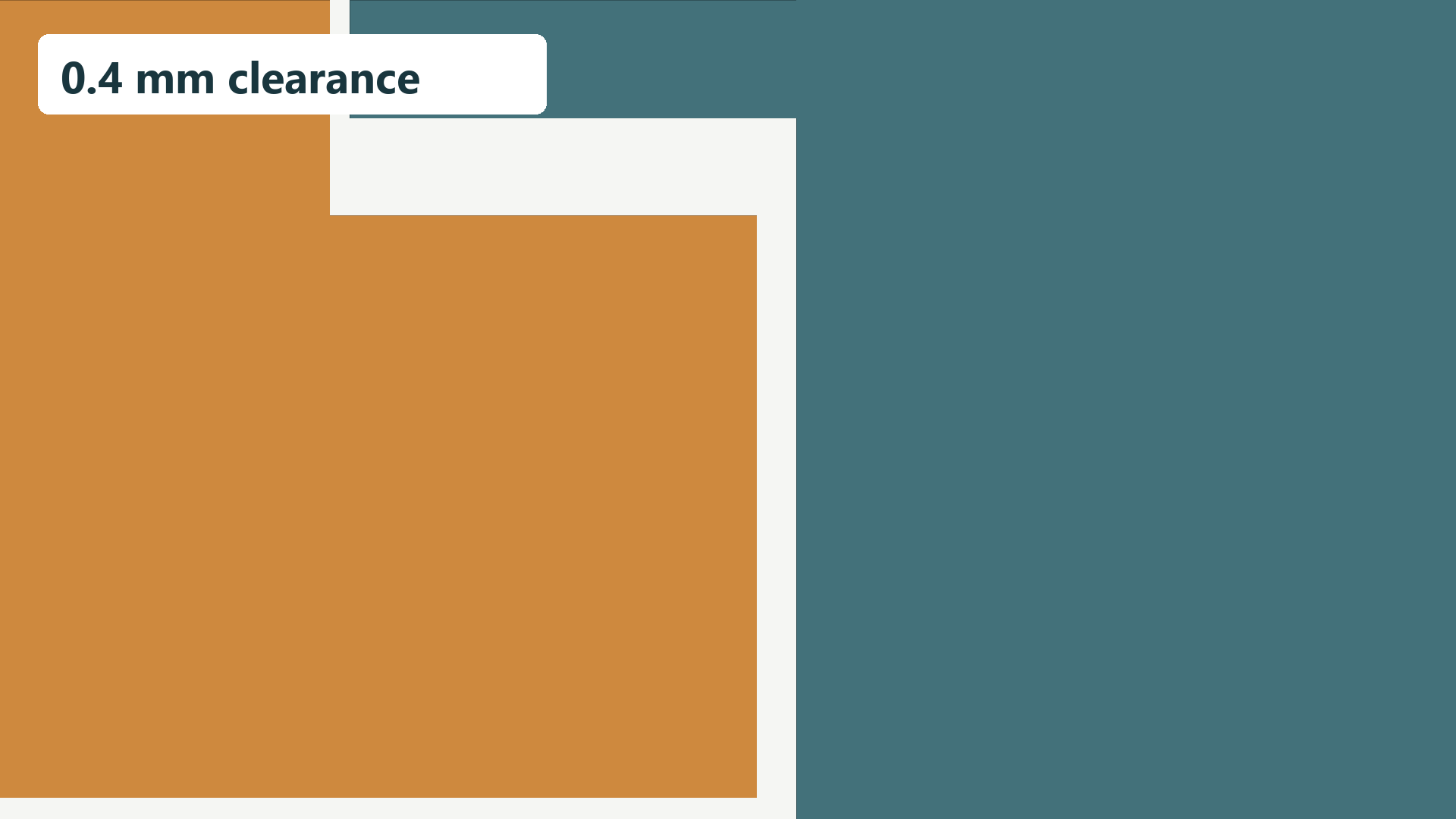
For this study, the chosen target is 0.4 mm total side clearance. The first revision leaves twice that amount. Distinguishing total clearance from clearance per side prevents a small wording difference from becoming a different part.
Centered clearance per side = (lower-channel width − head width) ÷ 2. A negative result means overlap in the model.
Keep the opening. Refine the channel.
Reducing the lower channel to 18.8 mm gives the intended result: (18.8 − 18.4) ÷ 2 = 0.2 mm per side. The top opening remains 10 mm.
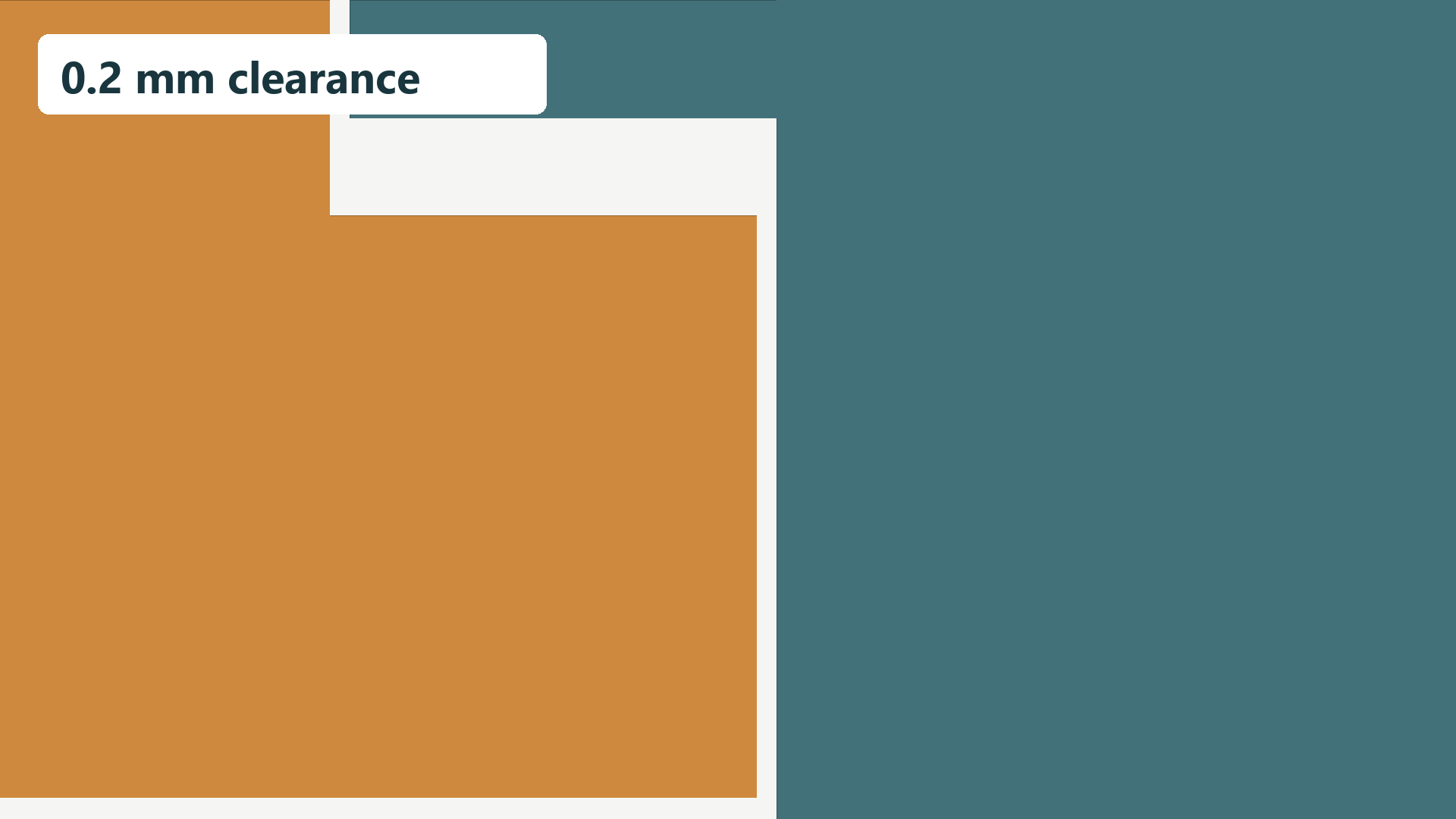
Reopening all three saved CAD versions confirmed the lower-channel widths and the unchanged top opening. The final STEP reopened as a valid single solid; the STL reread as a closed mesh. Those exports contain the carriage, while the orange slider remains a comparison reference.
For your own part, measure the head and stem separately. Choose the clearance for your material and manufacturing process, add the total allowance to the head width, and check the top opening independently. The change request becomes specific: widen the lower channel to suit the head, while keeping the stem opening fixed.
Explore the Nora3D STEP editing guide for inspecting and revising an existing solid model.