A phone dock can look finished until you put a thicker case on your phone. Then one small dimension becomes the whole problem.
For this Nora3D example, we built a desktop charging-dock concept with a phone slot, a small accessory tray, and a route for an existing charging cable. Then we changed the phone slot from 13 mm to 18 mm in the same native model.
The useful part is what happens after the first model exists: the dimension is still yours to change.
Start with a concrete design brief
The brief was deliberately small: a 118 × 88 mm base, one phone cradle, a front tray for small items, and a rear cable route. We used AI connected to Nora3D's CAD tools to build the model with editable native features.
This is a passive stand for use with an existing cable. It does not contain a charger, wireless coil, or other electronics.
The two openings on top have different jobs. The rear opening is the phone cradle; the wider front opening is the accessory tray. That distinction matters more than an impressive-looking render.
Widen the phone slot without starting over
Imagine the next request: “Give the phone slot more room for a thicker case.”
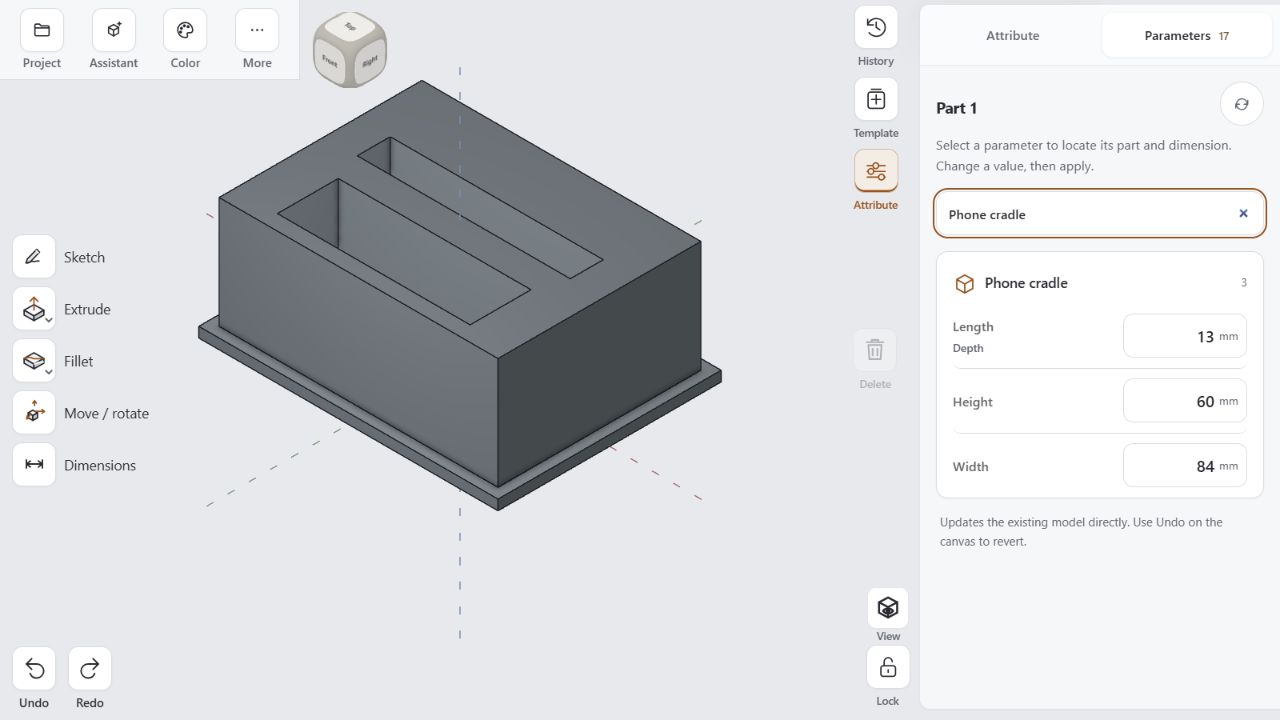
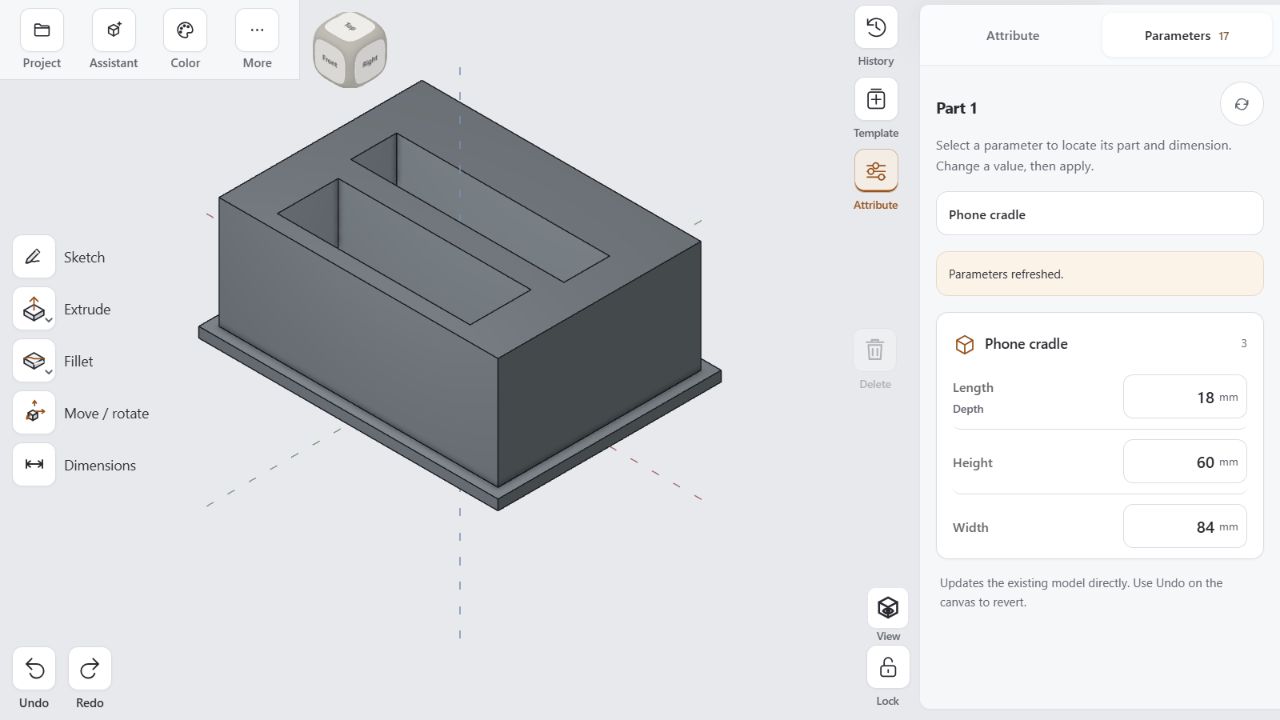
For this sample, we changed the phone slot from 13 mm to 18 mm using its existing native parameter. In the Parameters panel, the field is labeled Phone cradle → Length / Depth. It controls the narrow span of the opening—the space available for the phone's thickness.
 View full screenshot ↗
 View full screenshot ↗
Same model. One dimension changed. Enlarged parameter views use the original screenshots.
The base stayed 118 × 88 mm. The cradle's long span stayed 84 mm. The accessory tray and cable-route parameters stayed the same. We did not regenerate a different object to get the wider opening.
Check the result before making the part
The change was saved in the same model, and Nora3D's geometry inspection reported a valid, closed solid. The wider opening was a geometry change, not a different render of the original shape.
That gives us evidence of a real geometry change. It does not establish that a particular phone, case, or connector will fit. This sample has not been physically printed or fit-tested. Before making one, measure your device and cable, allow clearance, and review the model in your slicer—including the internal cable passage.
Keep editing the model as requirements change
The phone dock is a small example of a common design problem: requirements change after the shape looks finished.
For this workflow, the first build produced editable geometry. The next step changed a specific native dimension, and the rest of the design remained available for further work.
Try a small object in Nora3D, then ask yourself which dimension you would want to change next. Start with that edit.
Model verification details
The changed parameter was Depth@Phone cradle. Its saved and displayed revisions matched. The model's volume decreased from 314,556.125 to 299,436.125 mm³: a difference of 15,120 mm³, equal to the extra material removed from an 84 mm long, 36 mm deep slot widened by 5 mm.
The 60 mm Height shown in the full screenshots belongs to the cutting box, which extends above the body. The finished slot is 36 mm deep; the dock is 48 mm high. Construction dimensions and finished dimensions serve different purposes.