A tidy desk can still have a drawer full of chaos. It has just learned to close the door.
How do you customize a desk organizer CAD template without rebuilding it? In this Nora3D example, start with the existing organizer, add two independently editable drawer dividers, then change their span and height. The shelves and side bin stay in place while the drawer layout changes.
The starting point is Desk Organizer, selected from Nora3D's actual template library. The result is a saved CAD concept with adjustable additions, not a physically tested organizer.
Can you edit the original template's dimensions?
The template arrives as four solid bodies: the organizer structure, side bin and two drawers. Its original design parameters are not exposed in this document. The adjustable dimensions in this example belong to the two new divider features; they do not restore the template's original feature history.
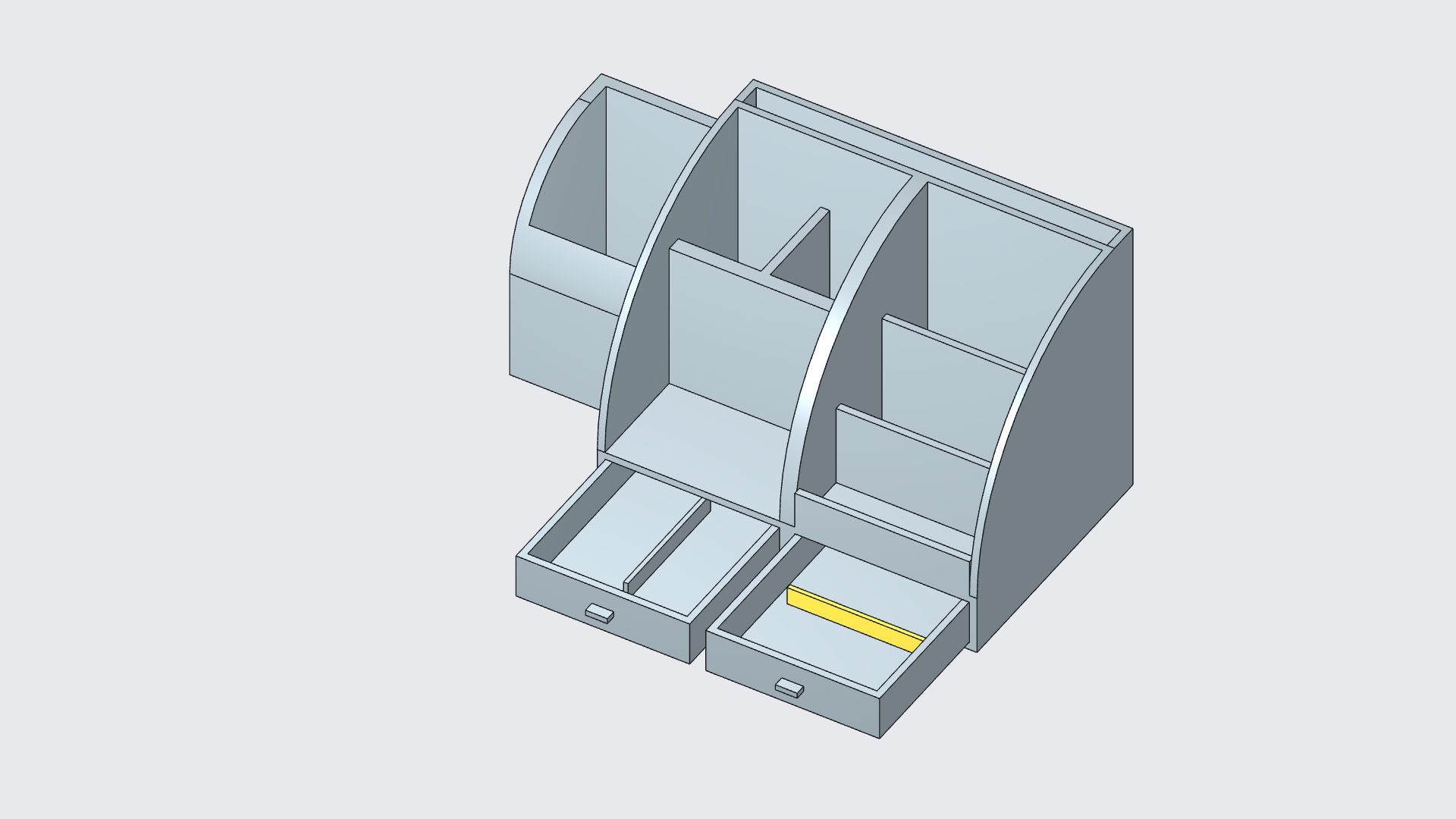
Both drawer bodies are moved forward to make their interiors visible. This is a presentation position, not a demonstration of tested sliding joints or drawer stops.
What layout does each drawer need?
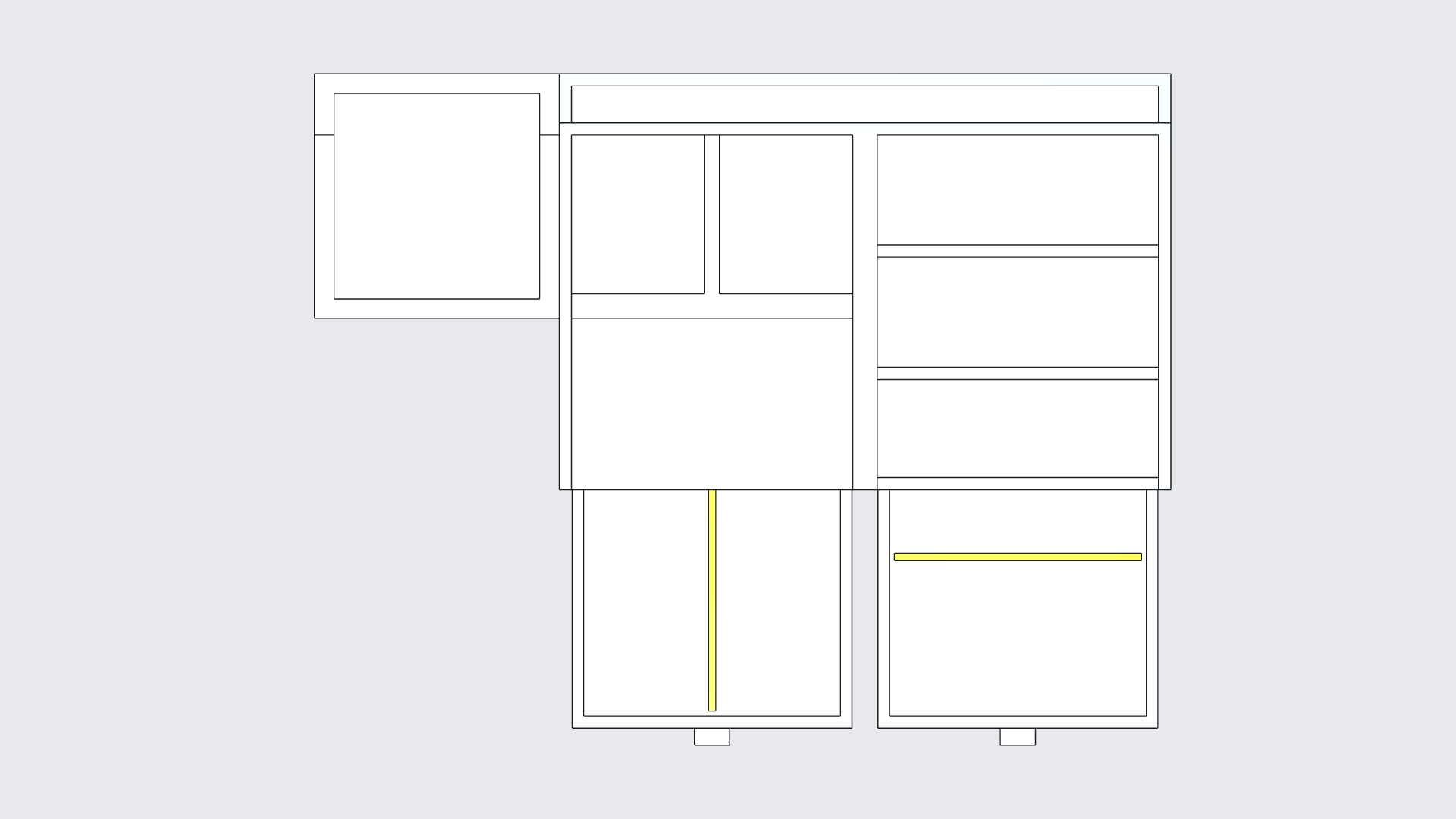
The left drawer gets a longitudinal divider. It creates two lanes that could be useful for slim tools or cable ties. The right drawer gets a transverse divider, separating front and rear areas for smaller items. Those are intended uses, not verified fits for particular objects.
Both dividers start with a 90 mm span, 12 mm height and 3 mm thickness. These are driving dimensions in the native document. The baseline is saved before they are changed.
Which divider dimensions changed?
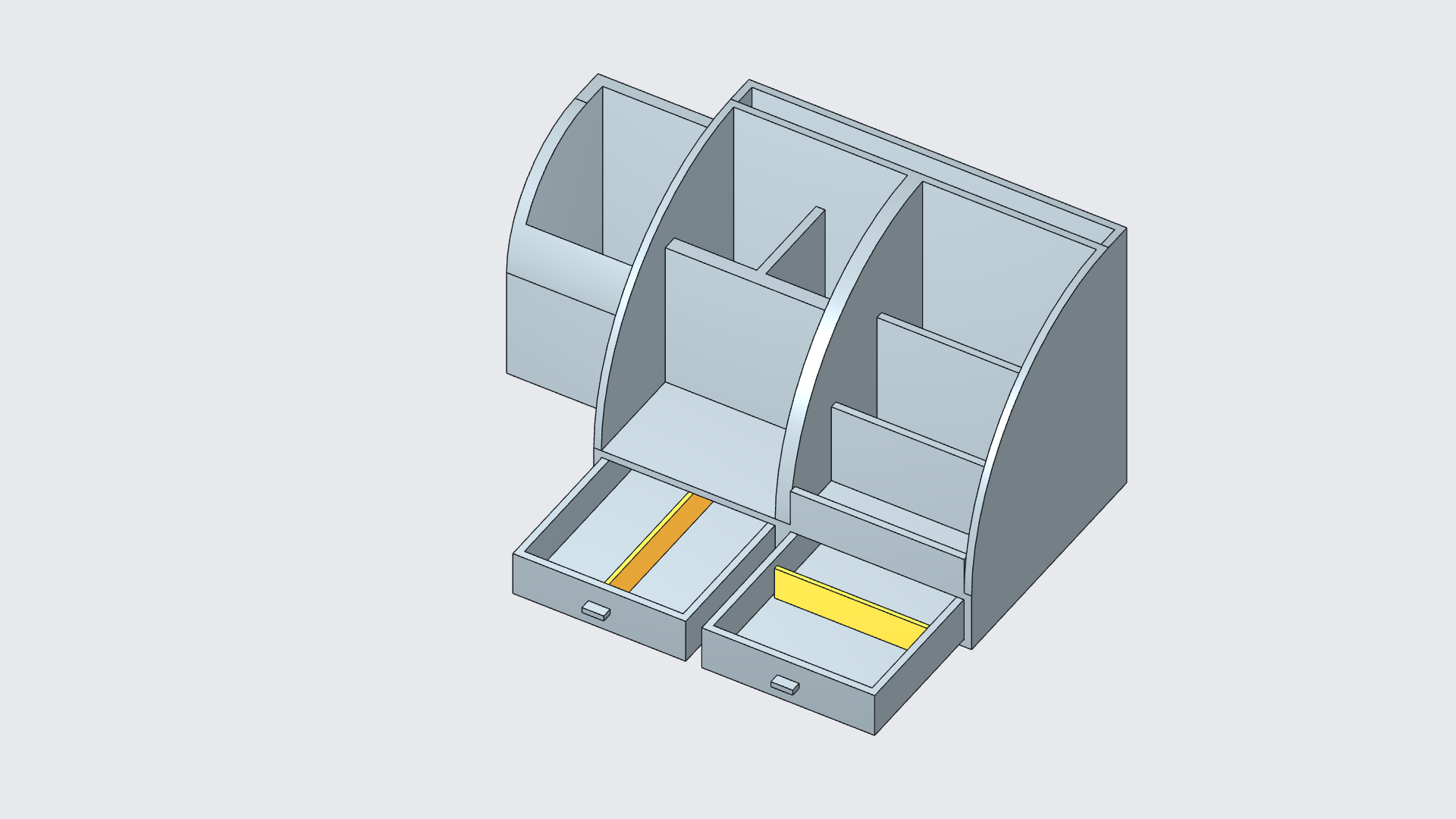
The left divider's span increases to 126 mm; the right divider's span increases to 101 mm. Both heights increase to 22 mm, while the thickness stays at 3 mm.
| Dimension | Saved baseline | Revised design |
|---|---|---|
| Left divider span | 90 mm | 126 mm |
| Right divider span | 90 mm | 101 mm |
| Each divider's height | 12 mm | 22 mm |
| Each divider's thickness | 3 mm | 3 mm |
A longer divider leaves less unpartitioned space at its ends. A taller divider separates more of the drawer's depth. The useful question is whether that arrangement suits the intended contents, rather than whether the model looks more elaborate.
This is a focused way to adapt a template: preserve useful geometry and add controls for the detail you need to change. Our tray-divider example explores the related workflow of adding a divider through conversation and then adjusting its dimensions.
Do the edited dimensions survive saving and reopening?
The document was saved and reopened. The four template bodies, two added divider bodies, drawer positions and six editable divider dimensions were retained. The revised divider sizes were checked as 126 × 3 × 22 mm and 101 × 3 × 22 mm.
Native geometry checks reported valid, closed bodies. An interference query for the drawers and dividers reported no overlapping body pairs in the displayed configuration. That result does not establish physical clearance, contact, support or fit.
The benefit is a design that remains available for another decision: return to the same document, inspect the drawer layout and revise the added dimensions.
Is this drawer insert ready for 3D printing?
These are separate divider bodies, and the model has not been printed or physically fitted. A practical removable insert still needs a support or retention detail, suitable clearances, material and print-orientation choices, and a trial fit. No drawer mechanism or divider stability has been tested.
Starting with a template saves you from redefining every part of the object. It does not remove the need to check the detail you changed. Here, that detail is a pair of drawer dividers whose dimensions can be revised without starting over.
Open Nora3D to choose a template and identify the part you would change first.